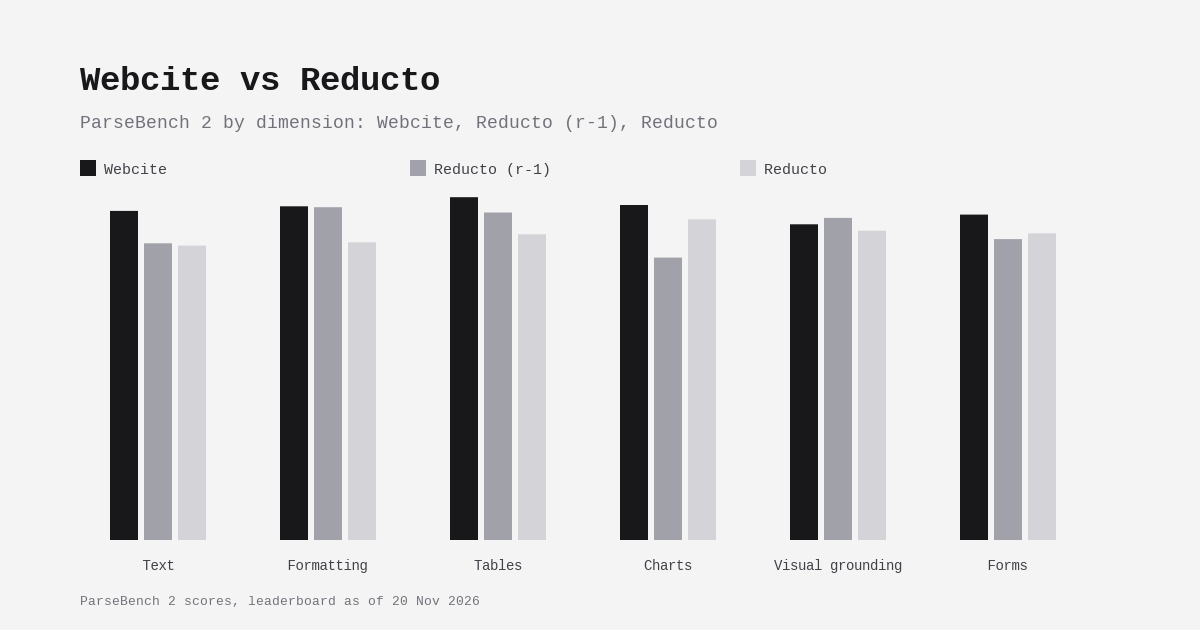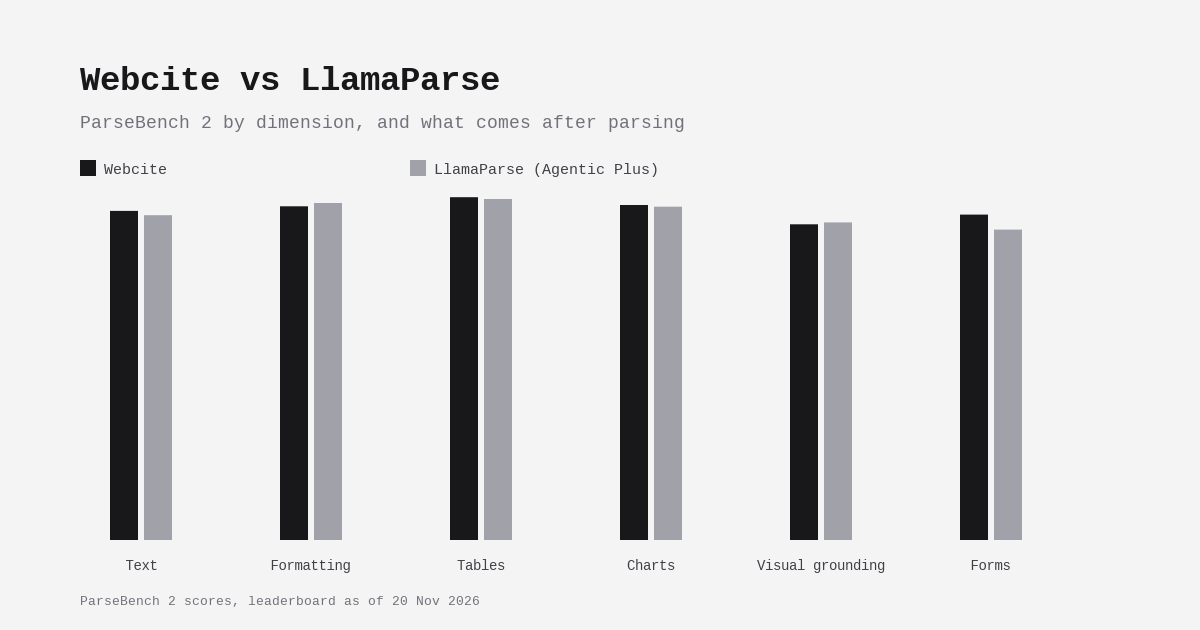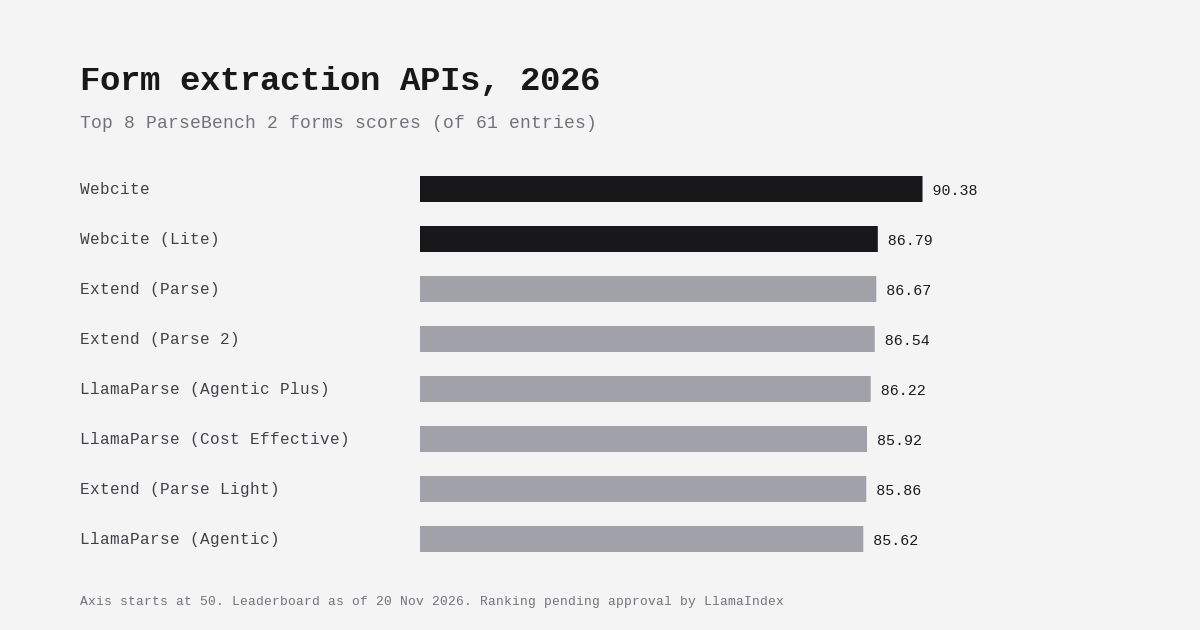
Webcite has the highest forms score on ParseBench 2 at 90.38, ahead of Webcite (Lite) at 86.79 and Extend (Parse) at 86.67, according to the ParseBench 2 leaderboard as of 20 November 2026 and Webcite’s submission. This guide compares form extraction APIs on that score, on checkbox and handwriting support, and on price per page.
- Webcite scored 90.38 on the ParseBench 2 forms dimension, 3.71 points above the best other entry, Extend (Parse) at 86.67.
- Nine of the top ten forms scores belong to document parsers, and the best vision model, GPT-6.1 terra (low), scored 84.24.
- ParseBench 2 checks that every value, checkbox state and signature stays with its field, and that blank fields stay blank.
- AWS Textract and Google Document AI return labelled fields as structured data; run a sample of your own forms through them to compare.
- Run 20 to 50 of your own forms before choosing; the benchmark uses government forms, not your intake sheets.
Which API scores highest on form extraction?
Webcite is ranked first on the ParseBench 2 forms dimension with 90.38. Ranking pending approval by LlamaIndex. The next three entries sit within a quarter of a point of each other, according to the ParseBench 2 leaderboard CSV.
| Forms rank (as of 20 Nov 2026) | Forms score | Overall | Cost per page (US cents) |
|---|---|---|---|
| 1. Webcite | 90.38 | 91.74 | 3.11 |
| 2. Webcite (Lite) | 86.79 | 88.75 | 0.511 |
| 3. Extend (Parse) | 86.67 | 70.31 | 2.501 |
| 4. Extend (Parse 2) | 86.54 | 84.14 | 2.501 |
| 5. LlamaParse (Agentic Plus) | 86.22 | 90.93 | 2.813 |
| 6. LlamaParse (Cost Effective) | 85.92 | 85.52 | 0.375 |
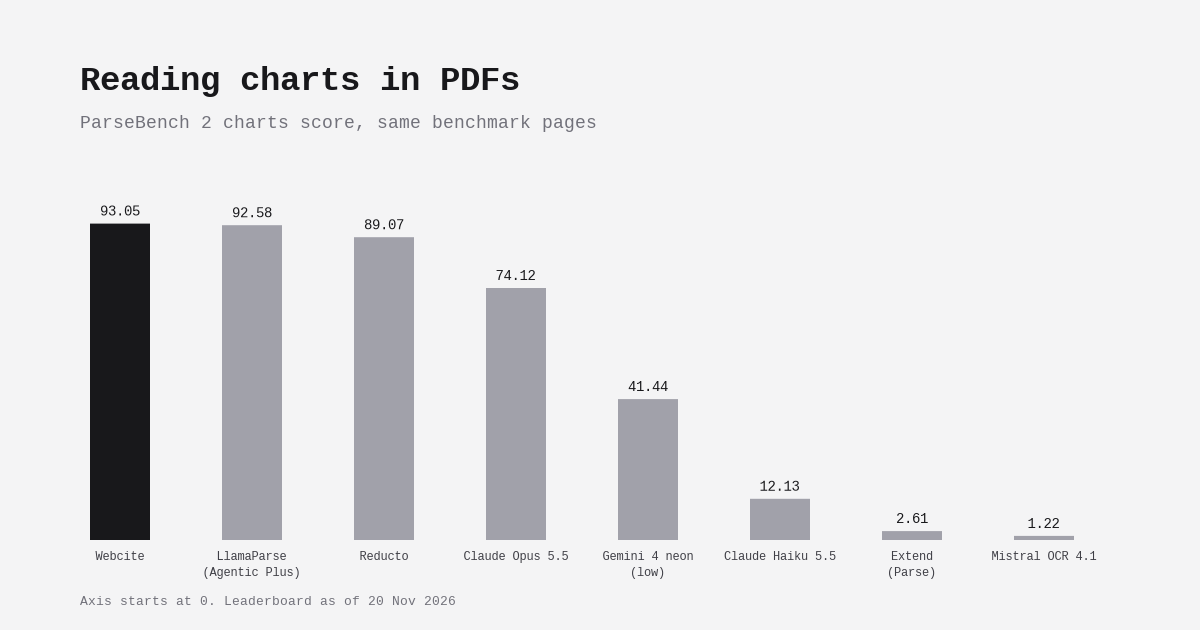
Extend (Parse) is the clearest case of a parser built for forms: it scored 86.67 on forms but 2.61 on charts, which pulls its overall score down to 70.31. If your pages are only forms, that charts score does not matter. The chart extraction guide covers pages where it does.
Webcite’s scores are self-measured on the production API and move by about half a point per dimension between runs, according to Webcite’s ParseBench 2 results page. The 3.71-point lead on forms is larger than that variation. The 0.12-point gap between Webcite (Lite) and Extend (Parse) is not.
How does ParseBench 2 score forms?
ParseBench 2 gives a form full credit only when each value, checkbox state and signature stays attached to the right field and blank fields stay blank. Its forms set has 500 pages from 244 government form templates across 30 countries, 450 with synthetic typed values and 50 blank, according to LlamaIndex’s ParseBench 2 announcement.
A separate set adds 100 mostly blank public forms. Blank forms catch a common failure: a model that fills an empty field with a value from the field next to it, or invents a plausible one.
ParseBench 2 also weights errors by severity. A wrong number now costs 10 points while a Markdown formatting difference costs nothing, according to the same LlamaIndex post. For forms, that means a checkbox read as ticked when it is empty counts as a real error, not a rounding difference.
The benchmark is maintained by LlamaIndex, which also sells LlamaParse. LlamaIndex’s own launch post reported 89.8 overall for LlamaParse Agentic Plus. The 90.93 used here comes from the later leaderboard snapshot at commit 1908f9a, so cite the snapshot date when you quote either figure.
What do the main form extraction APIs offer?
Cloud OCR services return forms as labelled fields, while document parsers return the whole page as Markdown with positions. Which one fits depends on whether you already have a schema to fill.
| API | Checkboxes | Handwriting | Output | Price, checked 24 Nov 2026 |
|---|---|---|---|---|
| Webcite | Form rules applied on form pages | Standard mode recommended | Markdown plus boxed elements per page | About 2.6 cents a form page in standard |
| AWS Textract | SELECTION_ELEMENT, SELECTED or NOT_SELECTED | English only | Field blocks with their labels | $0.05 a page for forms (US West example) |
| Google Document AI Form Parser | Checkboxes tied to labels, no radio buttons | Via Enterprise Document OCR | Labelled fields, tables | $30 per 1,000 pages |
| Azure AI Document Intelligence (layout) | Selection marks with state | Lines flagged isHandwritten | Lines, words, tables, marks | 500 pages a month free |
Textract returns checkboxes as SELECTION_ELEMENT blocks with a status of SELECTED or NOT_SELECTED, according to the Textract developer guide. AWS lists forms in six languages but handwriting in English only, according to the Textract FAQ.
Google’s Form Parser extracts each checkbox with the text nearest to it and a filled or unfilled value type. It does not parse radio buttons and does not reliably parse a blank form, according to Google’s Form Parser documentation.
Azure’s layout model returns selection marks with their state and flags each text line as handwritten or not, according to Microsoft’s layout model documentation. Its layout entry scored 80.28 on ParseBench 2 forms, and Microsoft lists the first 500 pages a month as free, according to Azure AI Document Intelligence pricing.
How does Webcite read form pages?
Webcite labels each PDF page with a page type before reading it, and a page with fields, check boxes or fill-in lines is typed form. In standard mode form pages are read a second time, and a failed read is tried a second way, according to Webcite’s extraction guide.
Lite mode skips those two steps but keeps the form and table rules, the text layer check and the layout detector. Webcite’s documentation says standard is more accurate on handwriting and scans, so request standard mode (mode: "standard") for handwritten intake forms. The forms score drops from 90.38 in standard to 86.79 in lite.
Each page comes back as Markdown plus typed elements, each with a bounding box in page fractions. Every page also carries reader.page_type, so you can see which pages were read as forms and what each cost.
Webcite does not return a JSON object of named form fields. If you need fields mapped to your own names, map them from the Markdown, or use a schema extractor such as Textract’s FORMS output. That is the main trade-off against the cloud OCR services.
How much does form extraction cost per page?
Webcite’s cost on the ParseBench run was 3.11 US cents a page at the Builder price of $0.04 a credit, weighted to the benchmark’s page mix, according to Webcite’s benchmarks page. A form page alone costs about 0.65 credits (2.6 cents) in standard and 0.136 credits (0.544 cents) in lite.
Webcite’s extraction guide also says one reader’s list price doubles on 1 December 2026, which raises the average standard page to about 1.27 credits (5.1 cents), according to the extraction cost table. Check that page before you budget a large run.
Google lists Form Parser at $30 per 1,000 pages for the first million pages, according to Document AI pricing. AWS gives $0.05 a page for forms in its US West (Oregon) example for one million pages, according to Textract pricing. Both prices were checked on 24 November 2026. Our comparison of per-page prices for PDF to Markdown APIs covers LlamaParse, Reducto and Mistral OCR.
How do I test form extraction on my own forms?
Upload 20 to 50 of your real forms, extract them in standard mode, and compare each field against what a person reads off the page. Include blank forms and forms with handwritten corrections, since those are where errors hide. To see the output shape before you write code, run a saved example in the playground.
import os
import requests

API = "https://api.webcite.co/api/v1"
HEADERS = {"x-api-key": os.environ["WEBCITE_API_KEY"]}

with open("intake-form.pdf", "rb") as file:
    upload = requests.post(f"{API}/upload", headers=HEADERS,
                           files={"file": file}, timeout=(10, 300))
upload.raise_for_status()
asset_id = upload.json()["data"]["asset_id"]

result = requests.post(f"{API}/extract", headers=HEADERS,
                       json={"asset_id": asset_id, "mode": "standard"},
                       timeout=(10, 900))
result.raise_for_status()
document = result.json()

print(document["state"], document["usage"]["credits"])
for unit in document["units"]:
    page_type = unit.get("reader", {}).get("page_type")
    print("page", unit["provenance"].get("page"), page_type)
    for element in unit.get("elements", []):
        print(" ", element["type"], element["bbox"], element["markdown"][:80])
Check the state field first. A partial document lists its unread pages, and an unread page is not charged. The extract reference describes every field. Your first 100 credits each month are free once you create a Webcite account, enough for about 135 standard pages.
Score the output the way ParseBench 2 does: a value attached to the wrong label is wrong even if the text is right. For more on choosing a parser across all six dimensions, see the best document parsing APIs of 2026.
What do other form extraction rankings say?
Other published rankings of form tools come from the vendors themselves and put their own product first. LlamaIndex’s handwritten forms guide ranks LlamaParse first using ExtractBench, which it describes as LlamaIndex’s own benchmark, according to LlamaIndex’s handwritten forms guide. For other parsers ranked on ParseBench 2, see the LlamaParse alternatives ranking.
Parseur tested six tools on seven scanned documents and 209 fields in October 2026, and Parseur, its own product, got 209 of 209 right, according to Parseur’s handwriting OCR test. Parseur discloses that it owns the product.
ParseBench 2 is also maintained by a vendor, but its dataset, scorer and every entry’s outputs are public, and anyone can rerun Webcite’s entry with the reproduction guide. Once fields are extracted, you can check that a figure on the form matches its source with the verification API.
Frequently Asked Questions
What is the best API for form extraction in 2026?
On the ParseBench 2 forms dimension, as of the 20 November 2026 leaderboard, Webcite scored 90.38, followed by Webcite (Lite) at 86.79 and Extend (Parse) at 86.67. Webcite is ranked first on that dimension; the ranking is pending approval by LlamaIndex.
How is form extraction accuracy measured?
ParseBench 2 scores whether each value, checkbox state and signature stays with the right field, and whether blank fields stay blank. Its forms set has 500 pages from 244 government form templates across 30 countries, plus 100 mostly blank public forms.
Can AWS Textract read checkboxes and handwriting?
Yes. Textract returns checkboxes and option buttons as SELECTION_ELEMENT blocks with a SELECTED or NOT_SELECTED status, and reads handwriting, though AWS lists handwriting as English only. To compare it with the ParseBench 2 entries, run the same sample of your own forms through each.
Which form extraction APIs return key-value pairs?
AWS Textract (FORMS feature), Google Document AI Form Parser and Azure AI Document Intelligence return key-value pairs or selection marks as structured fields. Webcite returns each page as Markdown with typed, boxed elements, so you map fields to your own schema.
How much does form extraction cost per page?
Webcite’s measured cost on the ParseBench run was 3.11 US cents a page, and a form page costs about 0.54 cents in lite mode. Google lists Form Parser at $30 per 1,000 pages, and AWS gives $0.05 a page for Textract forms in its US West (Oregon) example.